 openstatus
Get Started with openstatus CLI
What you’ll learn
Section titled “What you’ll learn”In this tutorial, you’ll learn how to use the openstatus CLI to manage your monitors as code. This enables you to version control your monitoring configuration, automate deployments, and implement GitOps workflows.
Prerequisites
Section titled “Prerequisites”- An openstatus account
- Command line experience
- API token from your openstatus workspace (Settings → API)
What you’ll build
Section titled “What you’ll build”By the end of this tutorial, you’ll have:
- openstatus CLI installed on your system
- Monitors exported to a YAML configuration file
- Understanding of monitoring as code workflows
- Ability to manage monitors programmatically
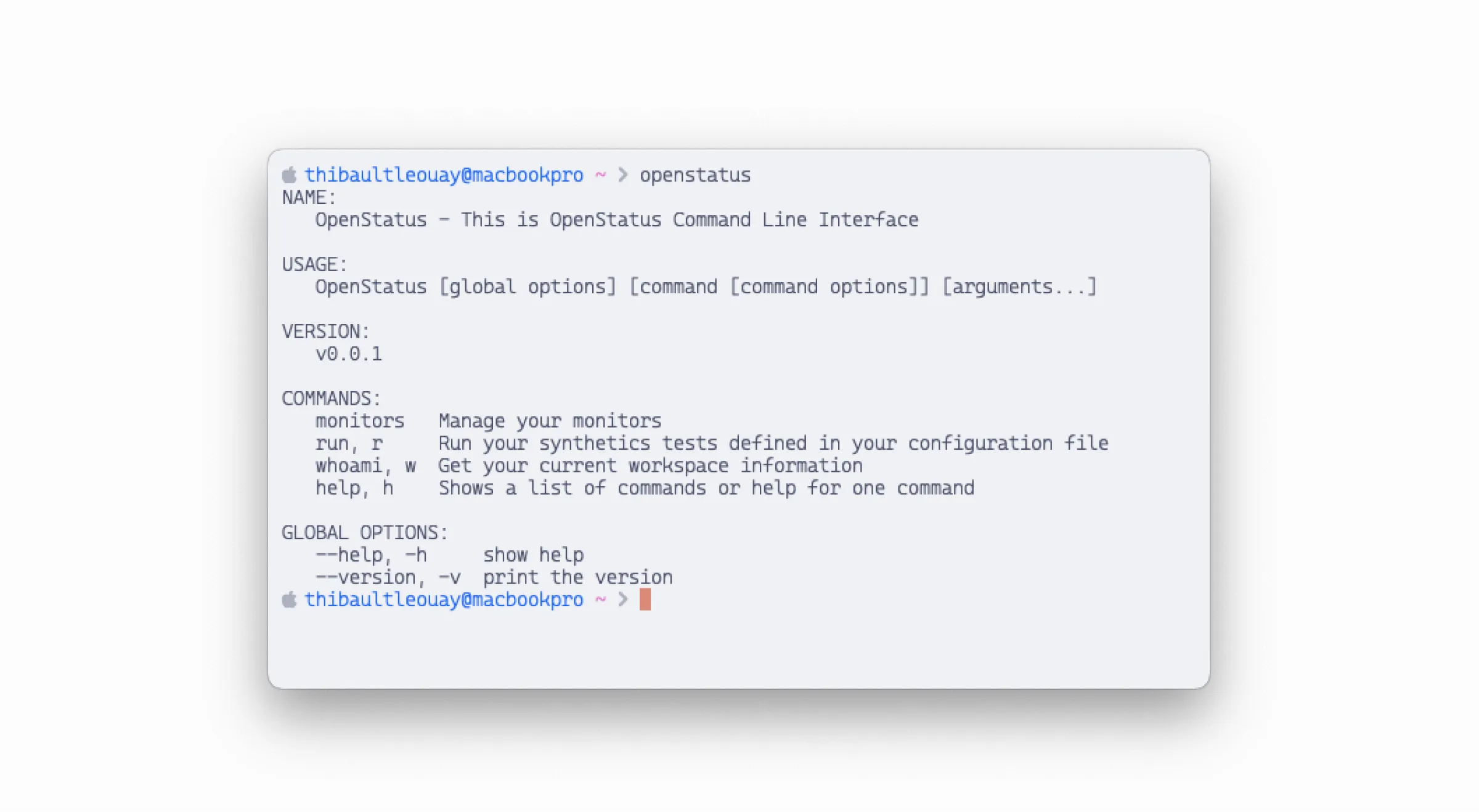
Installation
Section titled “Installation”Install the openstatus CLI to manage your monitors directly from code.
Using Homebrew (recommended):
brew install openstatusHQ/cli/openstatus --caskOr using the install script:
curl -sSL instl.sh/openstatushq/cli/macos | bashcurl -sSL instl.sh/openstatushq/cli/linux | bashWindows
Section titled “Windows”iwr instl.sh/openstatushq/cli/windows | iexConfigure API authentication
Section titled “Configure API authentication”Create an API key in your workspace settings (Settings → API), then set it as an environment variable:
export OPENSTATUS_API_TOKEN=<your-api-token>Tip: Add this to your shell profile (~/.bashrc, ~/.zshrc) to persist across sessions.
Import existing monitors
Section titled “Import existing monitors”Start by importing your existing monitors from your workspace to a YAML file:
openstatus monitors importThis creates an openstatus.yaml file containing all your current monitors. This file becomes your single source of truth for monitoring configuration.
Manage monitors as code
Section titled “Manage monitors as code”Now you can add, remove, or update monitors in the YAML file and apply your changes:
openstatus monitors applyThe CLI will show you a diff of changes before applying them, ensuring you’re aware of what will be modified.
What you’ve accomplished
Section titled “What you’ve accomplished”Excellent work! You’ve successfully:
- ✅ Installed the openstatus CLI
- ✅ Configured API authentication
- ✅ Imported monitors to a YAML file
- ✅ Learned the monitoring as code workflow
What’s next?
Section titled “What’s next?”Now that you have the CLI set up, you can:
- Monitor Your MCP Server - Example of CLI-based monitor configuration
- Monitoring as Code - Learn about the YAML configuration format
- CLI Reference - Complete command documentation
- Set up CI/CD - Automate monitoring in your pipeline
Advanced workflows
Section titled “Advanced workflows”With the CLI, you can:
- Version control your monitoring configuration with Git
- Review monitoring changes in pull requests
- Automate monitor creation for new services
- Sync monitors across multiple environments
- Implement GitOps for infrastructure monitoring
Learn more
Section titled “Learn more”- Monitoring as Code Concept - Why manage monitors as code
- CLI Reference - All available commands
- YAML Configuration Examples - Sample configurations